Project Configuration
After logging into your Requestor account, navigate to the project you want to configure. Then, on the Overview screen, click on the three dots icon and a table will appear. Click on Settings.
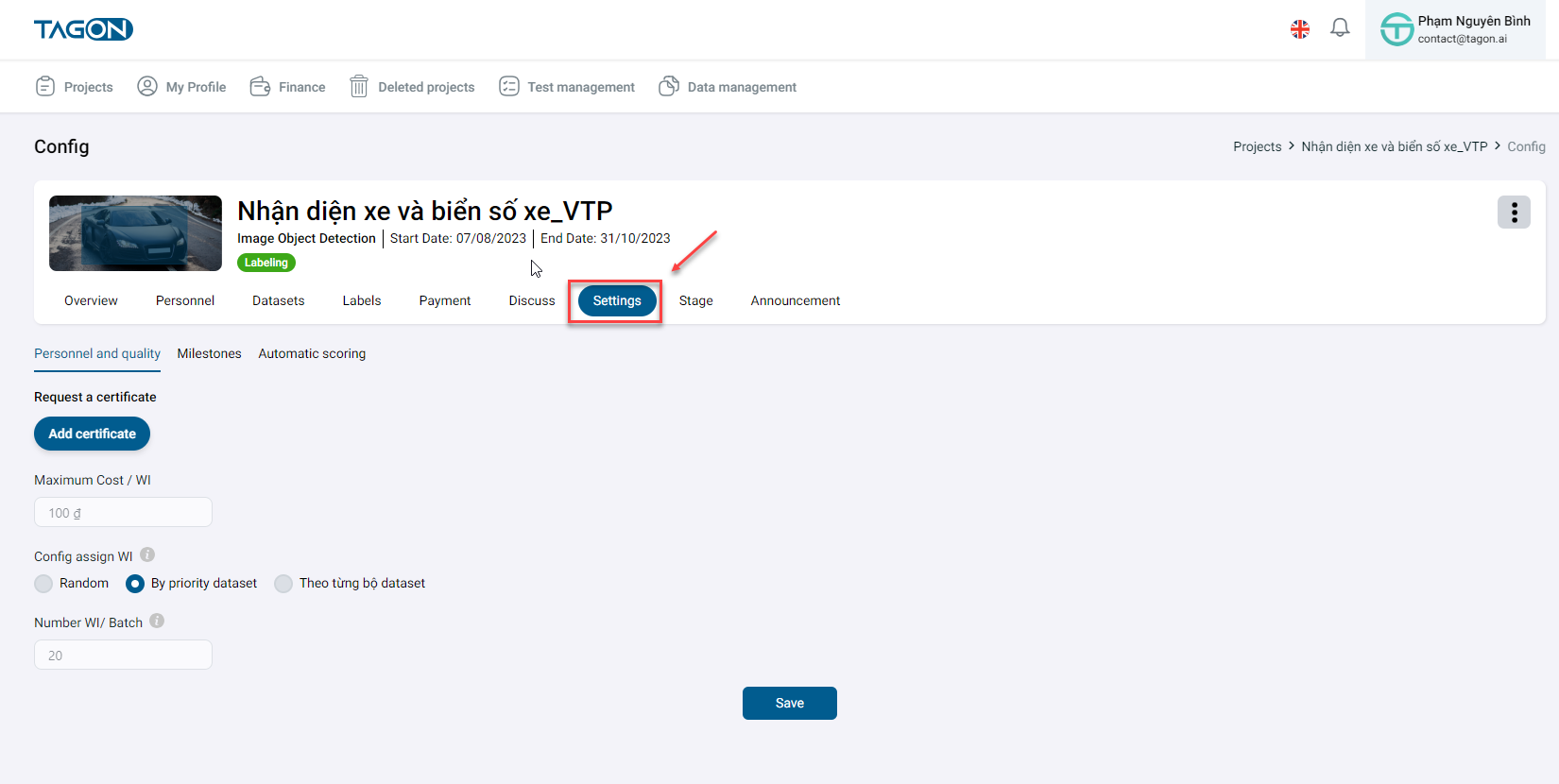
The screen displays the project configuration.
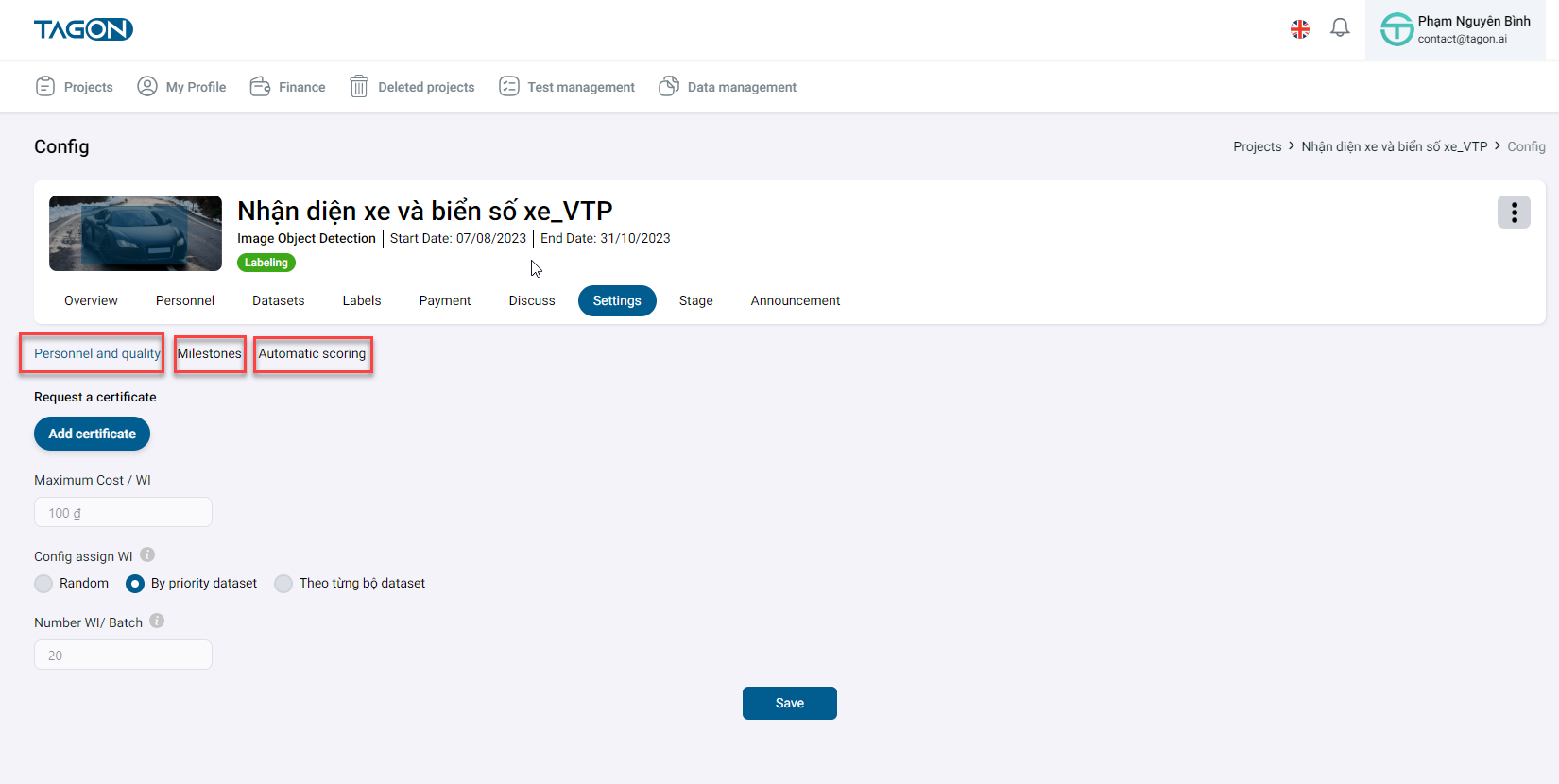
Personnel and Quality
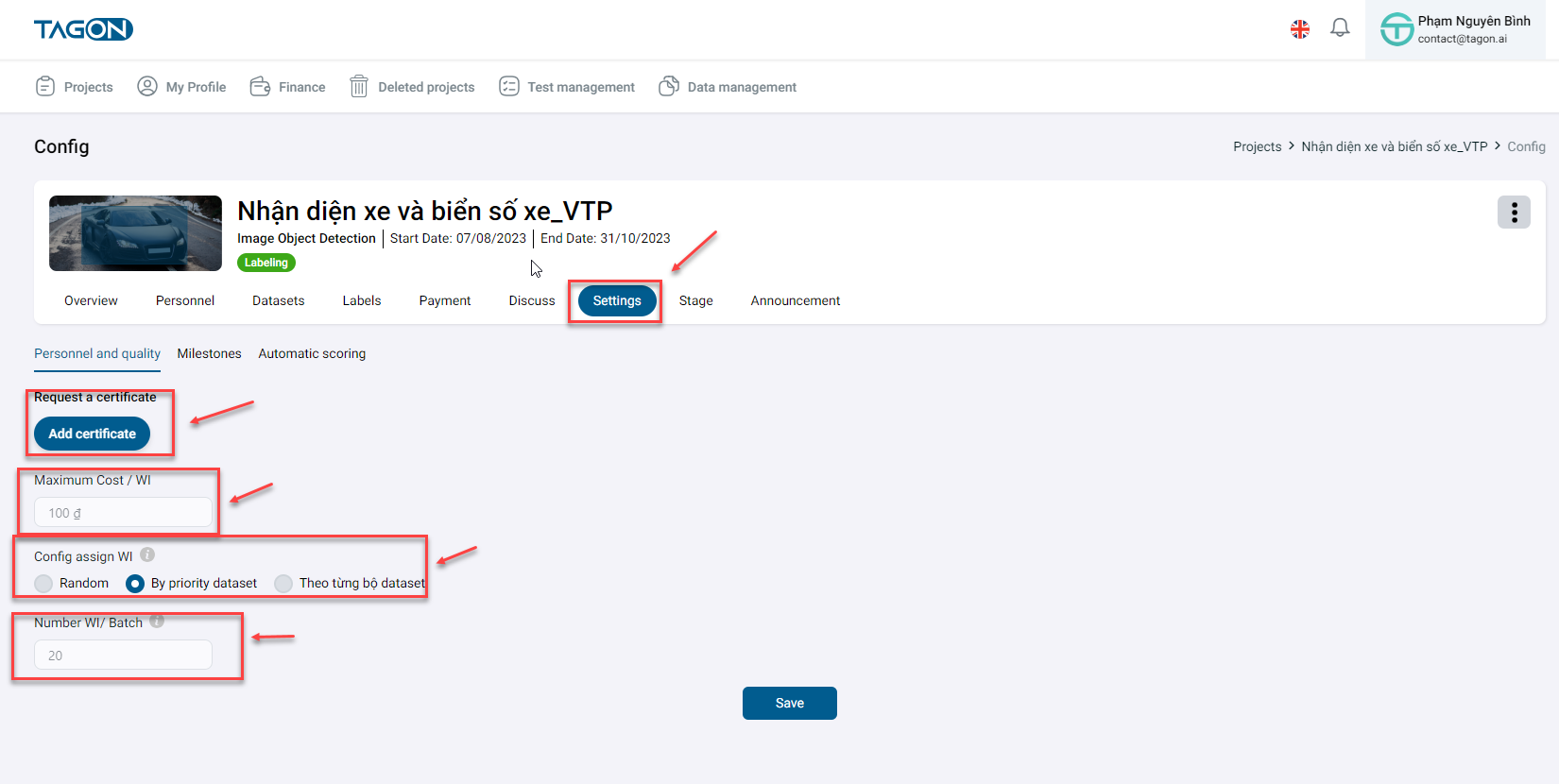
In the Personnel and Quality section, Requestors can view the quality configuration of the project.
| No. | Field Name | Description |
|---|---|---|
| 1 | Maximum Cost/WI | The Requestor sets the maximum cost for a WI. Annotators will register prices equal to or less than the maximum cost/WI. |
| 2 | WI Evaluation | After annotators label data, there is an evaluation stage. Requestors can choose to have evaluations or not. Evaluation configuration slightly increases the project cost and this setting cannot be changed. |
| 3 | Percentage of WIs for Evaluation | The percentage of data that Requestors set to be evaluated. |
| 4 | Quality Requirement | Defines the percentage of accuracy required in a test for an Annotator to be accepted into the project. |
| 5 | Number of WIs per Batch | Number of data points Annotators work on in a single batch. |
| 6 | Maximum Time per Batch | Maximum time the Requestor allocates for the Annotator to work on a batch. |
| 7 | Test Completion Time | Time allocated for test completion for Annotators entering the project. |
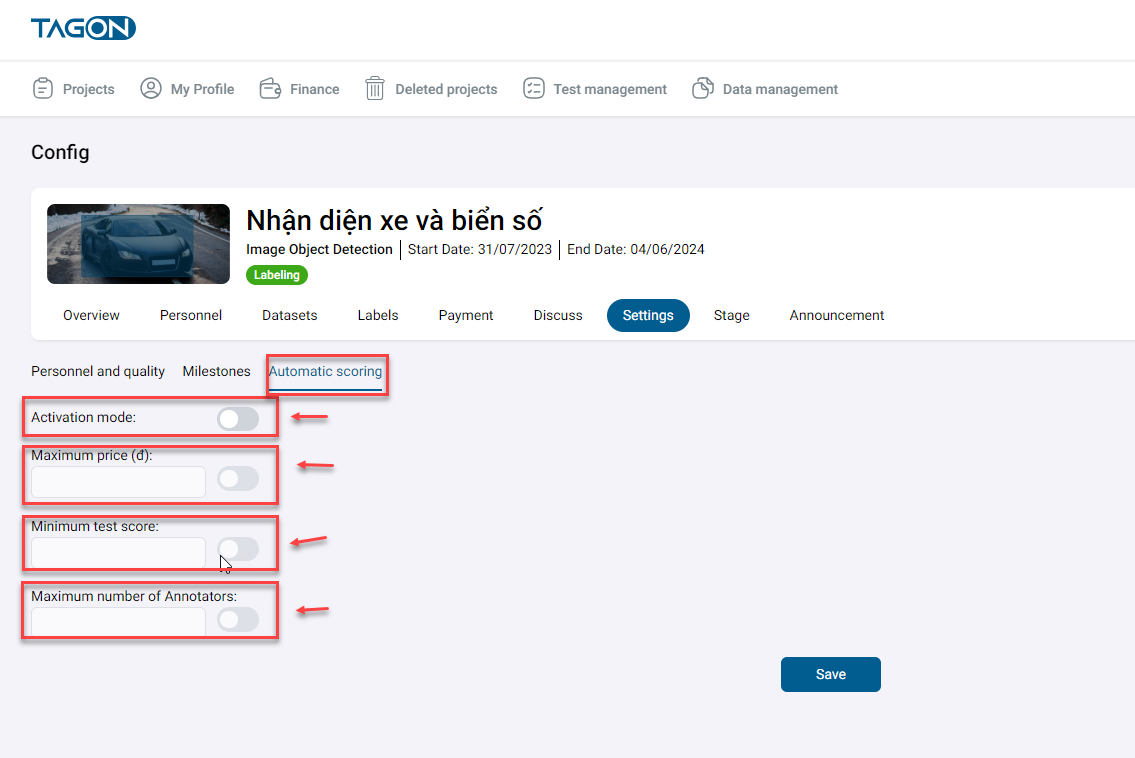
Auto Scoring
Click on Auto Scoring to navigate to the Auto Scoring panel. Here, you will find information on Auto Scoring.
| No. | Field Name | Description |
|---|---|---|
| 1 | Enable Auto Scoring | Choose to enable or disable auto scoring. If turning on auto scoring, click on Activate in green to implement auto scoring |
| 2 | Maximum Price | The maximum price the Requestor allows Annotators to bid when joining the project. This is crucial for approving suitable Annotators for the project. Requestors can set a price lower than the initial estimated price. |
| 3 | Minimum Test Score | The minimum test score required by the Requestor for Annotators to be accepted into the project. This can be adjusted and is based on the correct answers given in the test. |
| 4 | Maximum Number of Annotators | To manage the multitude of Annotators registering for a project, a maximum number must be set for approval into the project. The appropriate number depends on the project's data. |