Closing a Project
Access your Requestor account and select the project you want to close. Click on that project.
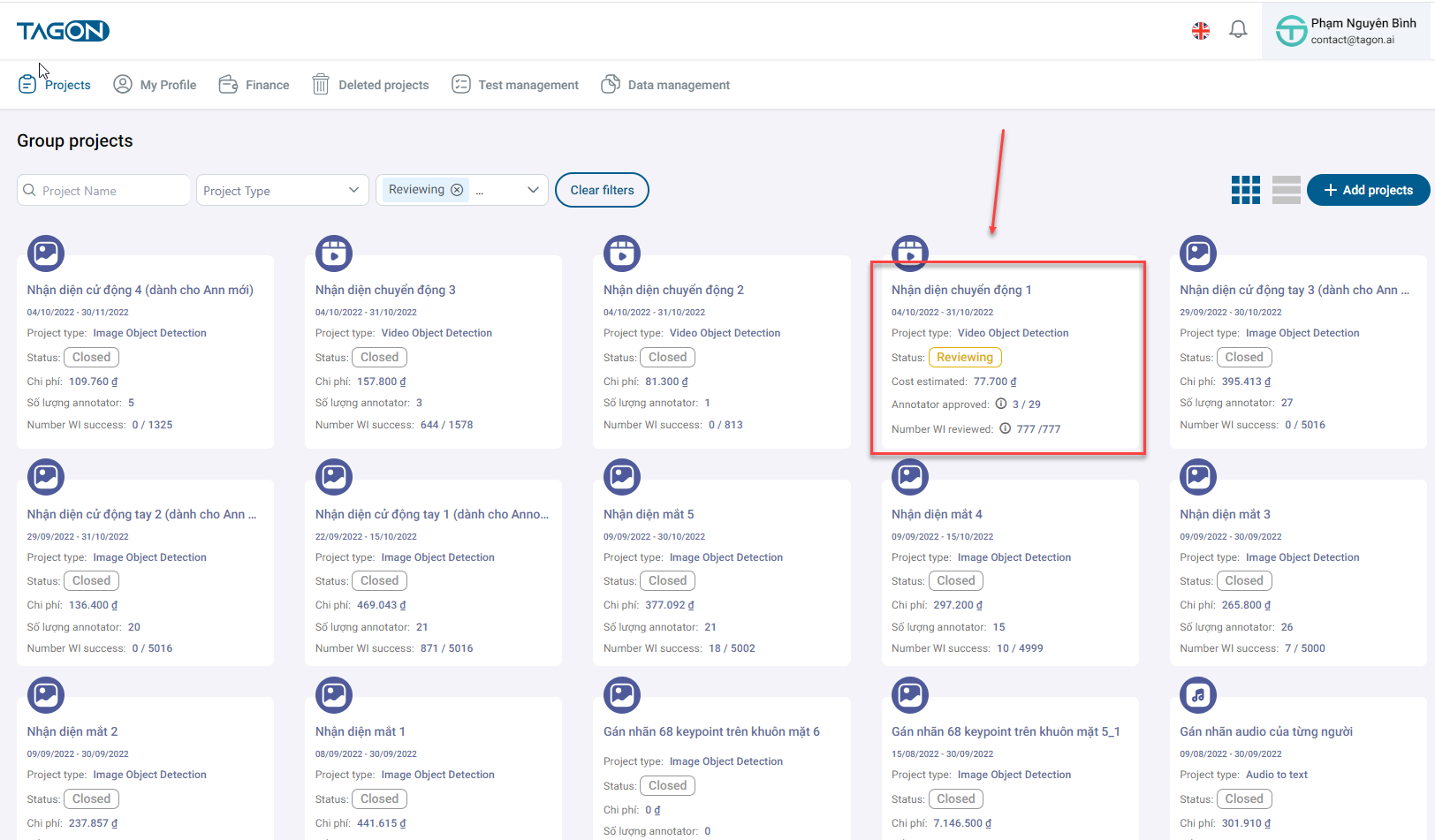
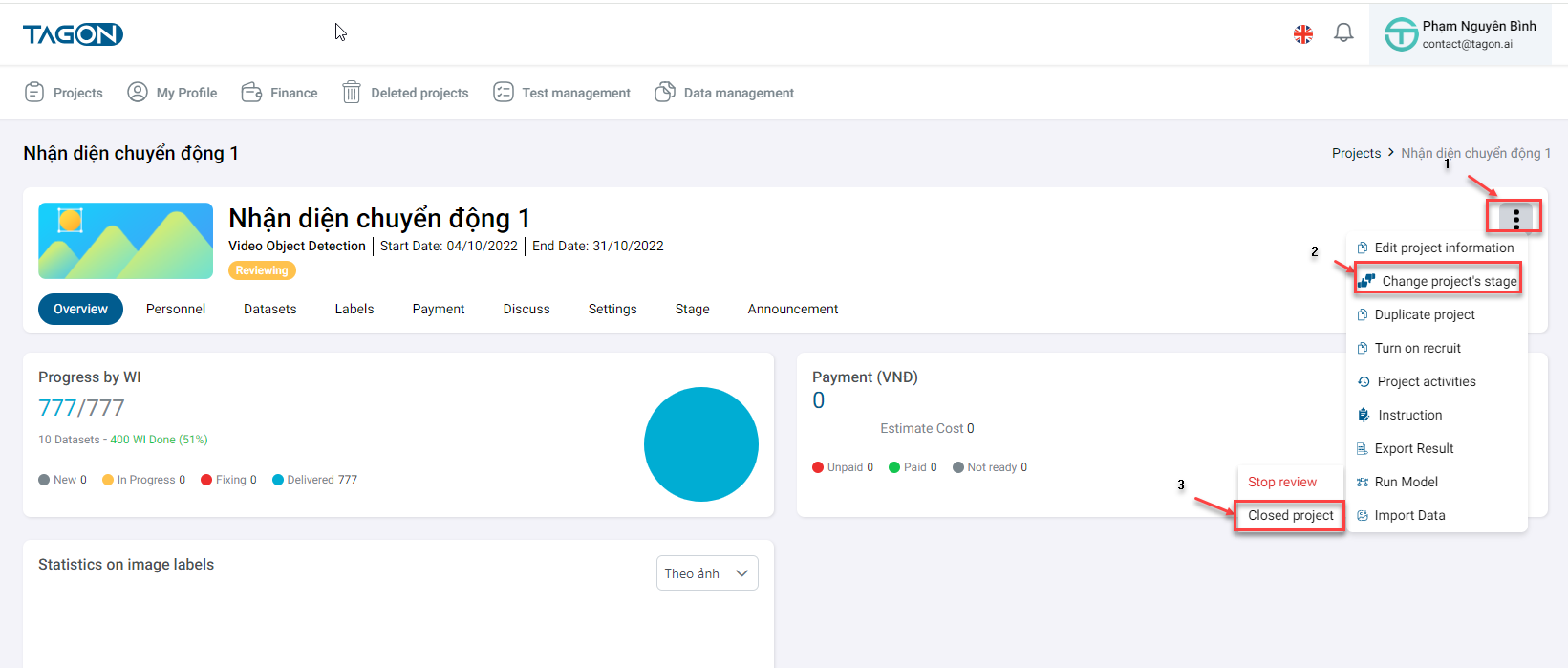
In the Overview section, click on the three dots, then click on Change status where you will find Close project option.
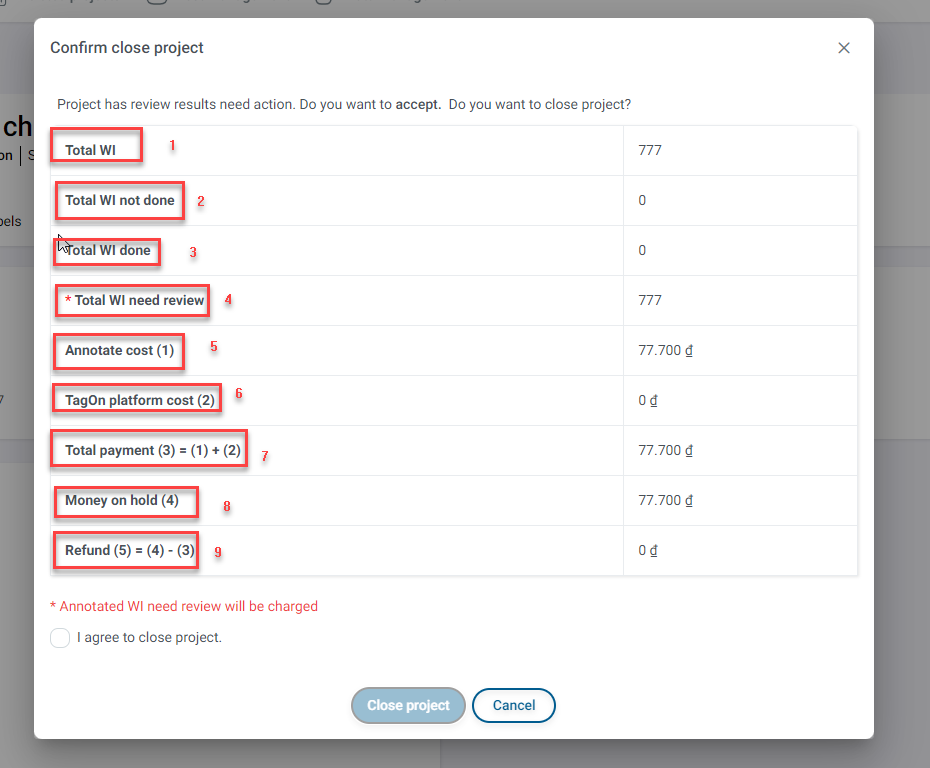
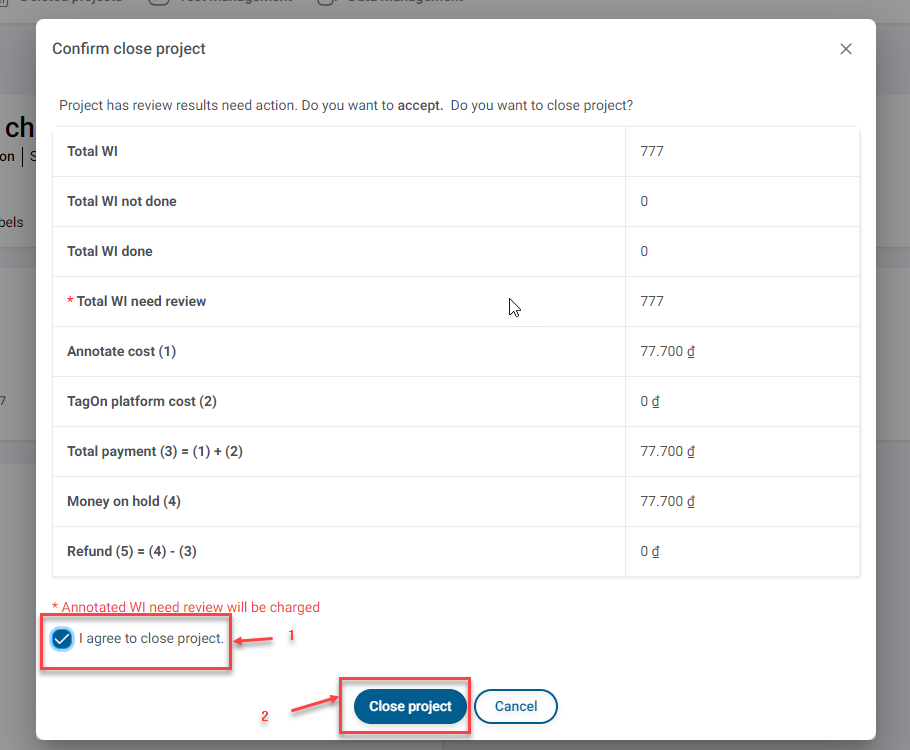
Clicking on Close project will display a screen summarizing project information.
| No. | Field Name | Content |
|---|---|---|
| 1 | Total WIs | Total sentences in the project's dataset |
| 2 | Total unassigned WIs | Total sentences not yet labeled in the project |
| 3 | Total completed WIs | Sentences with recorded results |
| 4 | Total WIs annotated but not evaluated | Sentences completed in labeling but results not recorded |
| 5 | Labeling cost (1) | Money spent on sentences in the project based on the Annotator's registered price |
| 6 | Tagon platform cost (2) | Cost for using the tool |
| 7 | Total cost (3) = (1) + (2) | Total cost needed for the project |
| 8 | Advance payment (4) | Cost calculated based on maximum cost per sentence |
| 9 | Refund amount upon project registration (5) = (4) - (3) | Refund amount to the req after deducting all costs |
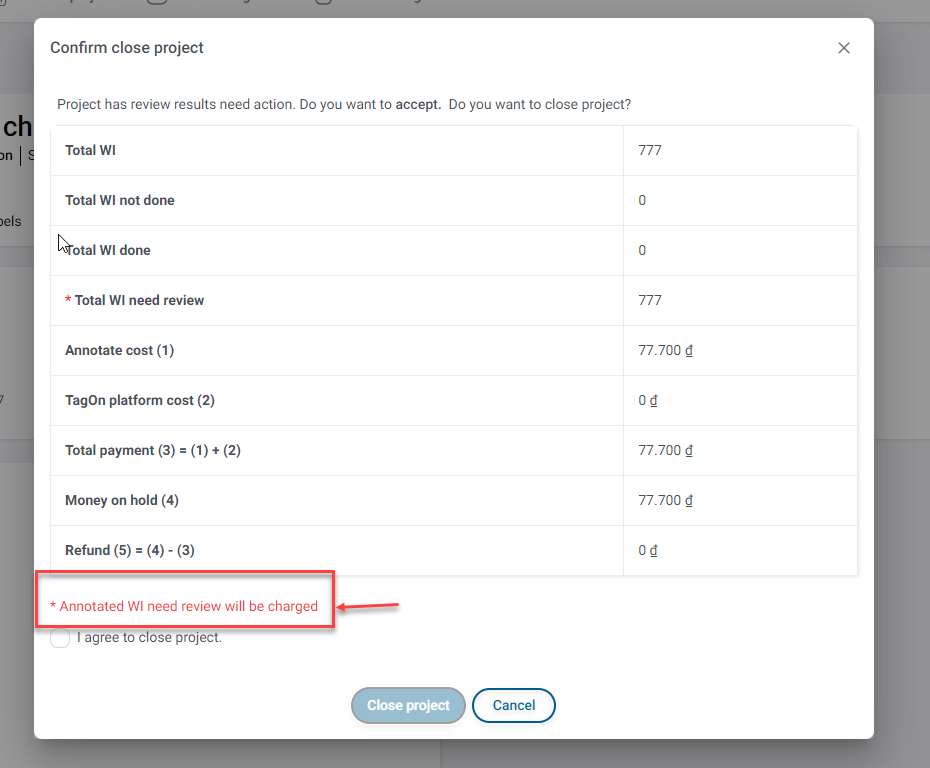
Note: Annotated WIs not evaluated will still incur fees when closing the project - when you close the project, fees will be charged for sentences that Annotators have labeled but not evaluated, without refunds.
After reading and agreeing to the above conditions, click on I agree to close the project and then click on Close project. A success message will appear - Success - Project closed successfully.
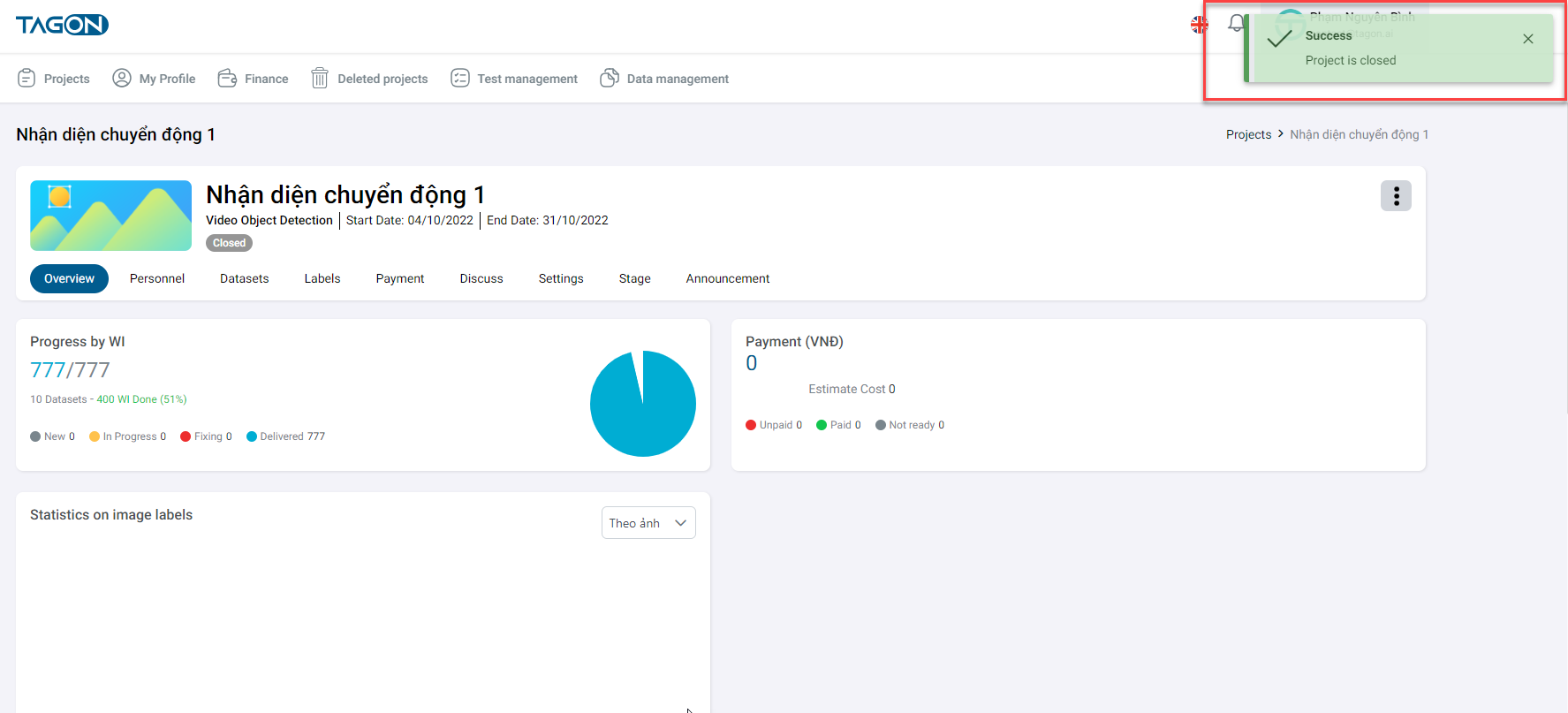
An email will be sent to the Requestor's registered email address notifying them. You will be able to view detailed project information as mentioned above. Additionally, information about project creation time and project closing time will be provided.