Discussion Feature
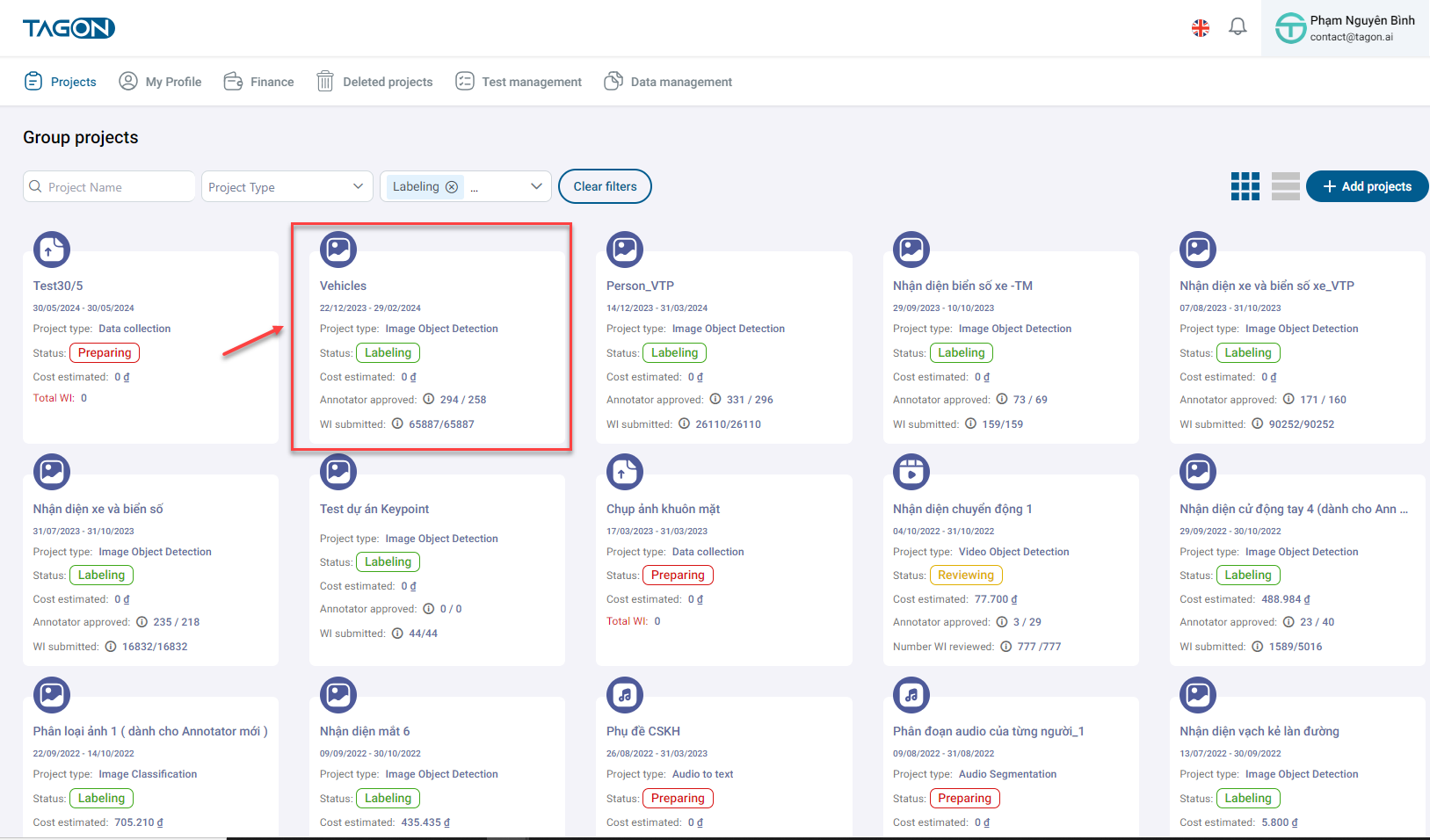
To engage in discussions, navigate to the Project List and select the project you wish to discuss.
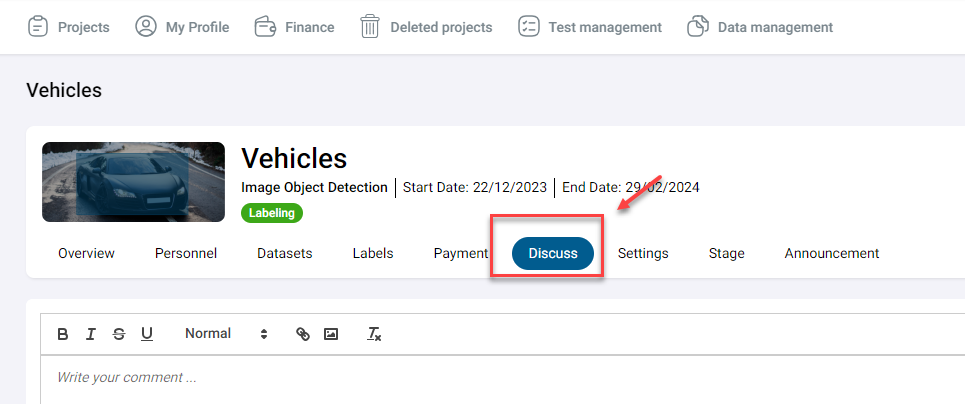
Next, go to the Discussion section. Here, you can view discussions by annotators within the project and respond to their comments.
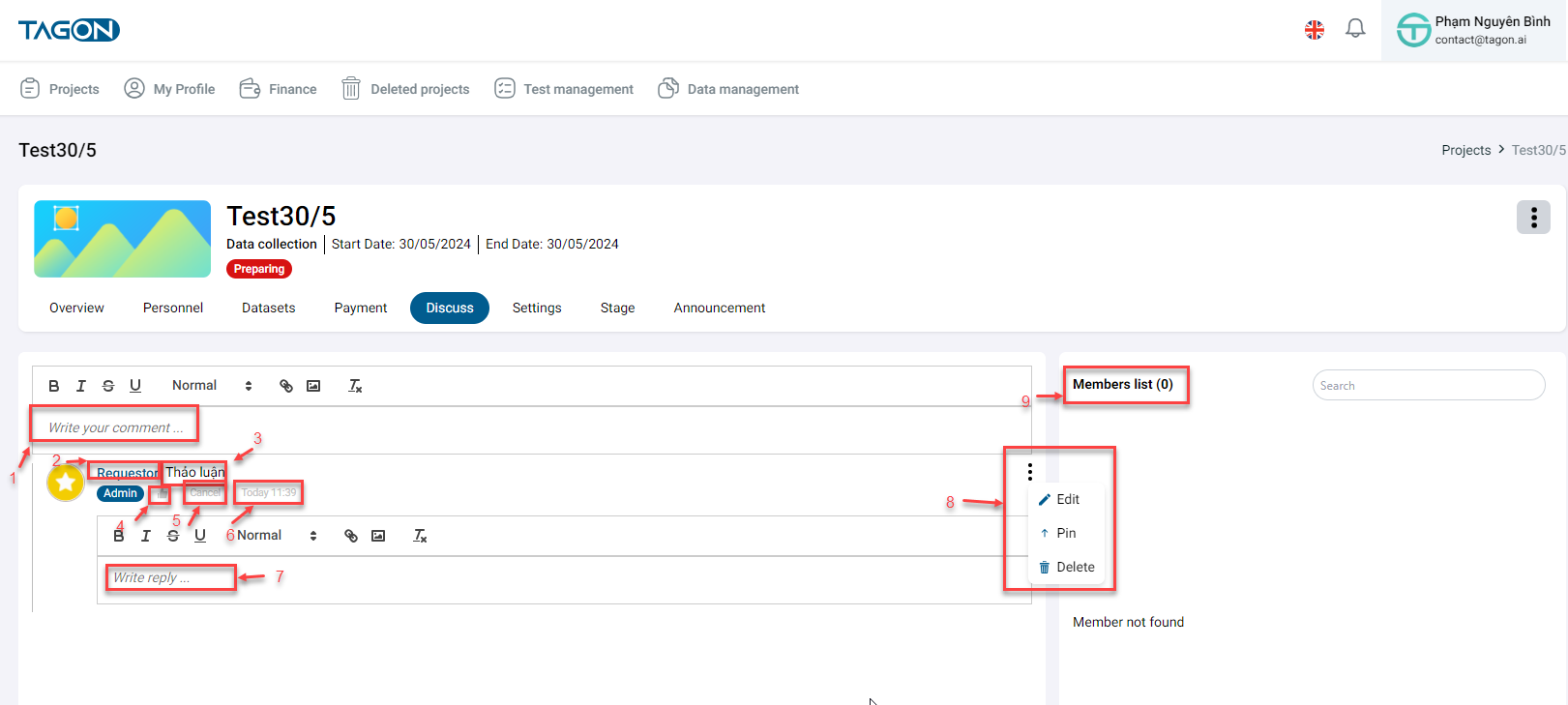
| No. | Field Name | Description |
|---|---|---|
| 1 | Write your comment | You can write your comment here |
| 2 | Annotator Name | Name of the annotator who commented |
| 3 | Annotator's Comment Content | Content of the annotator's comment |
| 4 | Like | Like the comment |
| 5 | Reply/Cancel | Reply to the annotator's comment or cancel the reply |
| 6 | Annotator's Comment Time | Time when the annotation was made |
| 7 | Write your reply | Comment to reply to the annotator's comment |
| 8 | Delete | Delete the annotator's comment |
| 9 | Online List | List of annotators currently online in the project |