Viewing Project History
Upon successful login to the project -> Display the Project List screen -> Click on the project -> Display the Project Overview screen -> Click on History -> Display the History screen
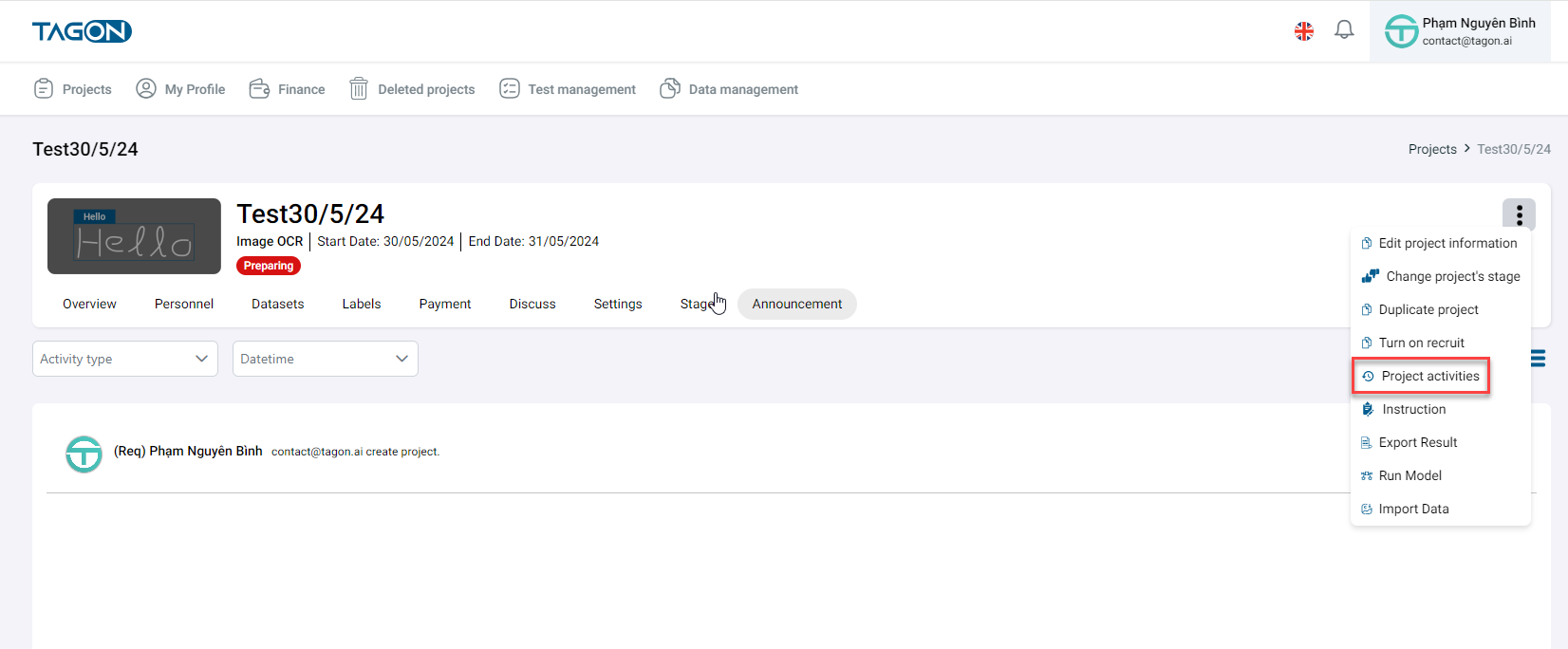
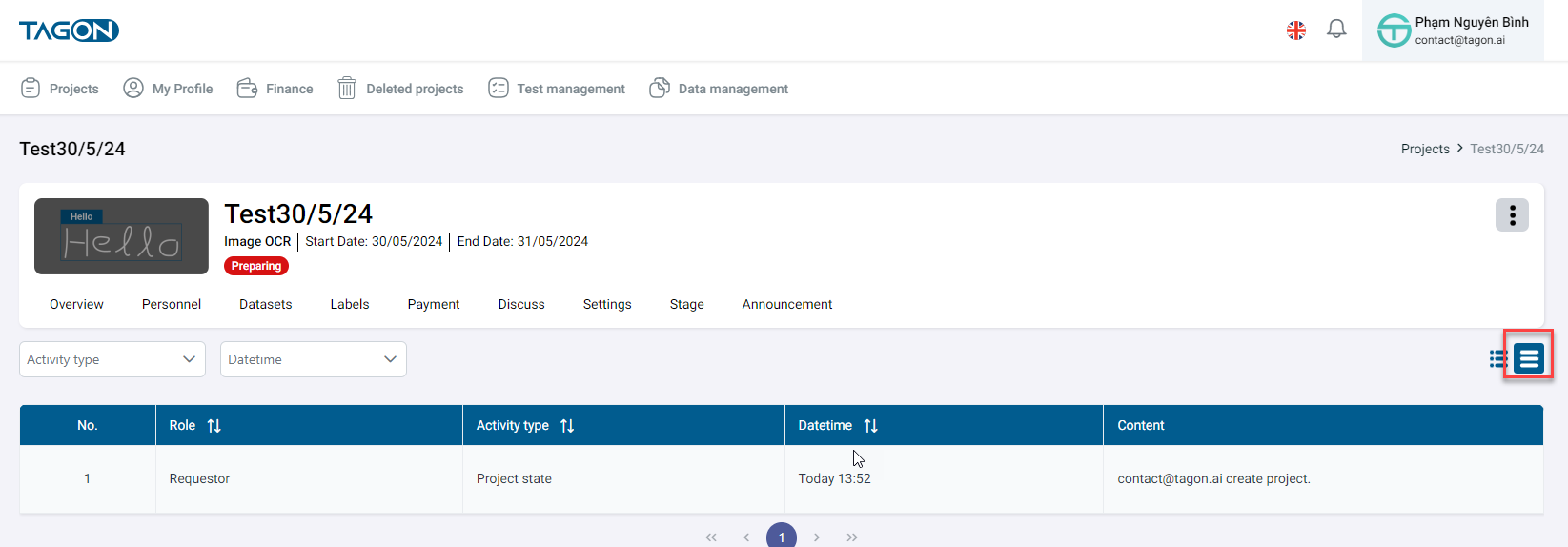
On the History screen -> Show the activity history in 2 formats: Table and List
List Format Screen
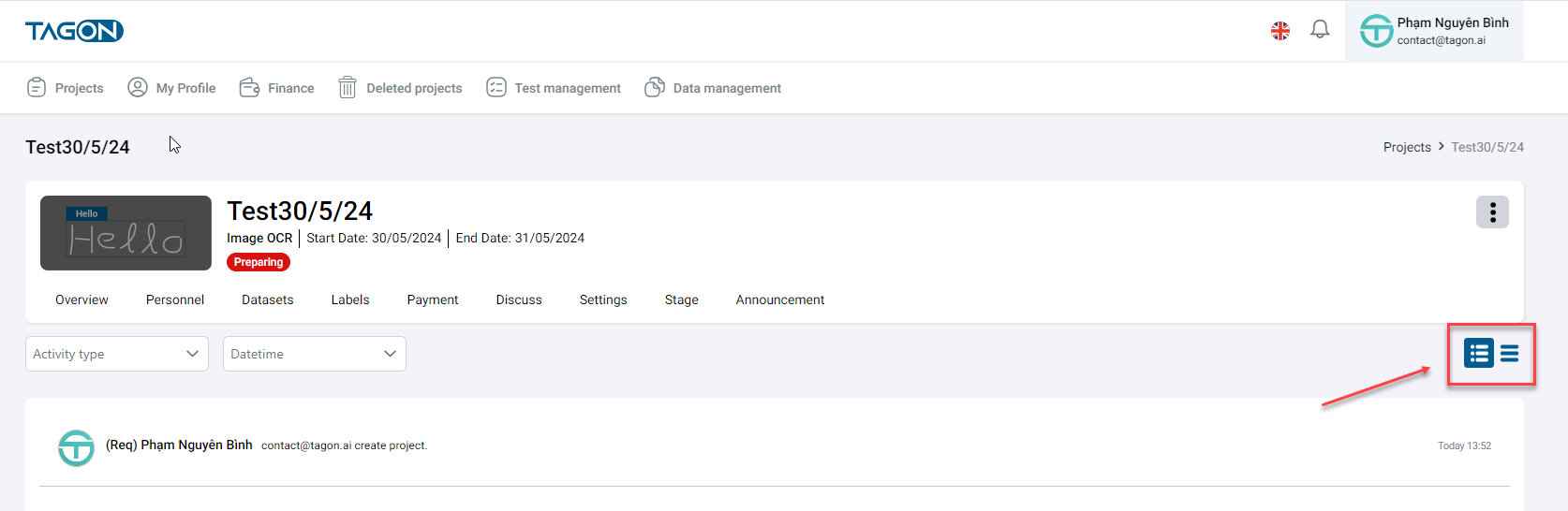
Table Format Screen
You can search the history in 2 ways:
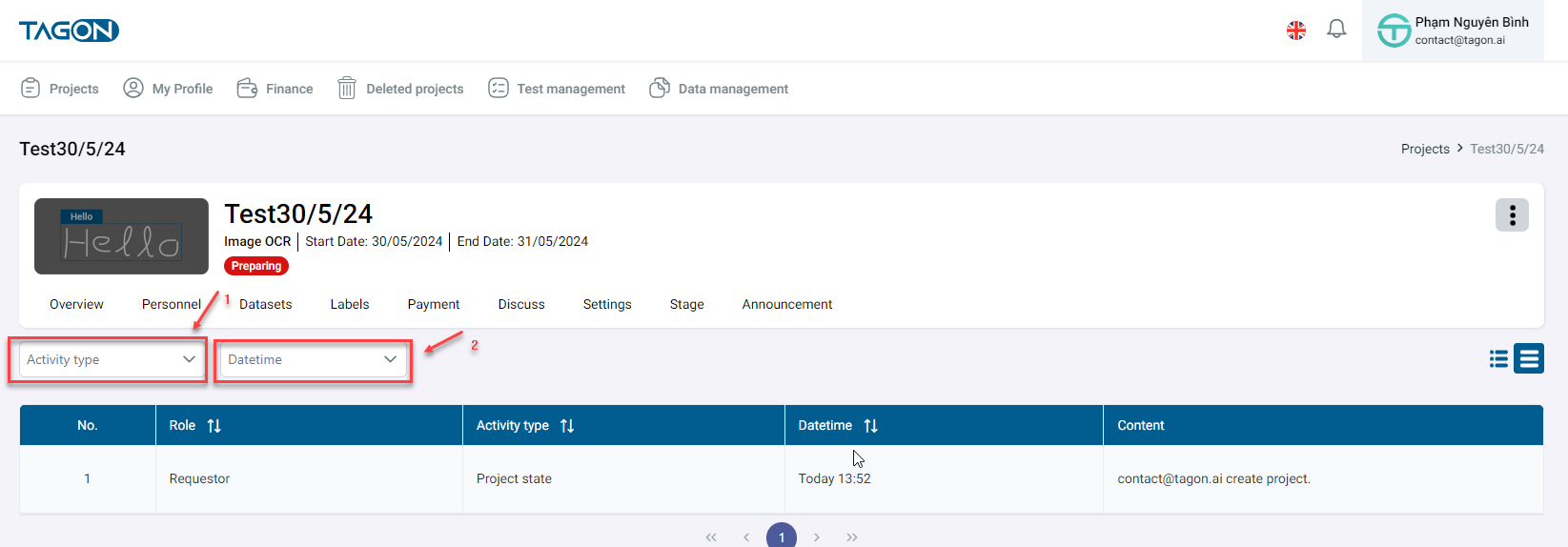
- [1] Type of Activity: Including Data, Registration, Project Status, Evaluation, Invitation, Tagging, Information, Cost, Personnel
- [2] Time: Today, This Week, Custom --> When choosing Custom, you can enter the From Date and To Date for your search.
List Format
The activity history is displayed in list format as follows:
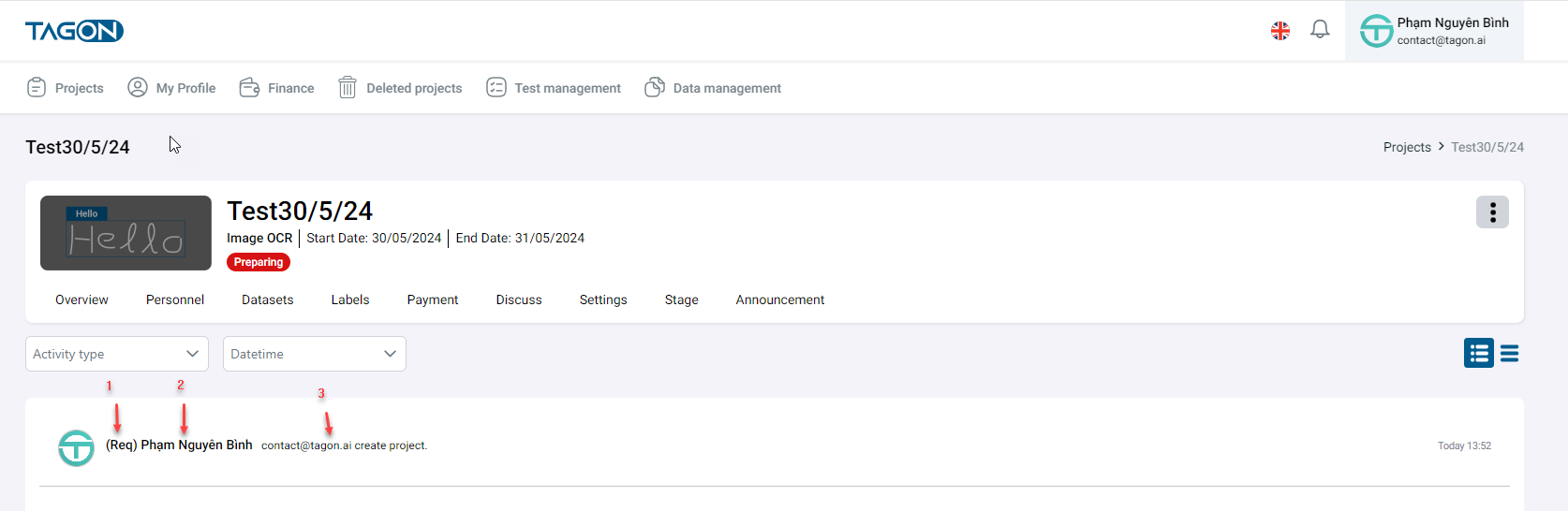
| Index | Field | Description |
|---|---|---|
| 1 | Role | Role of the active person |
| 2 | Account Name | Active person's account name |
| 3 | Content | Activity history content |
| 4 | Time | Activity time |
Table Format
Description of the table format fields:
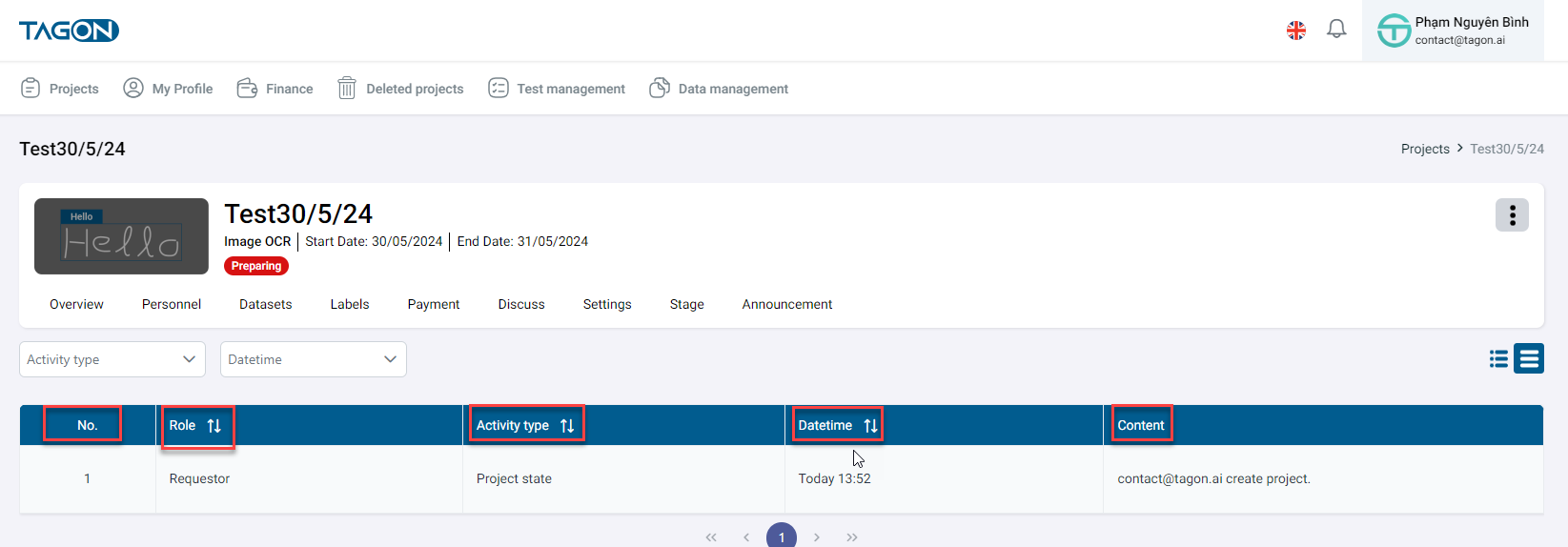
| Index | Field | Description |
|---|---|---|
| 1 | Index | Sequence number |
| 2 | Role | Role of the active person |
| 3 | Activity Type | Display based on the user's activity type |
| 4 | Datetime | Activity time |
| 5 | Content | Activity history content |